
Mac vs PC for Small Business: Which One Actually Makes Sense?
- ryan00983
- May 18
- 6 min read
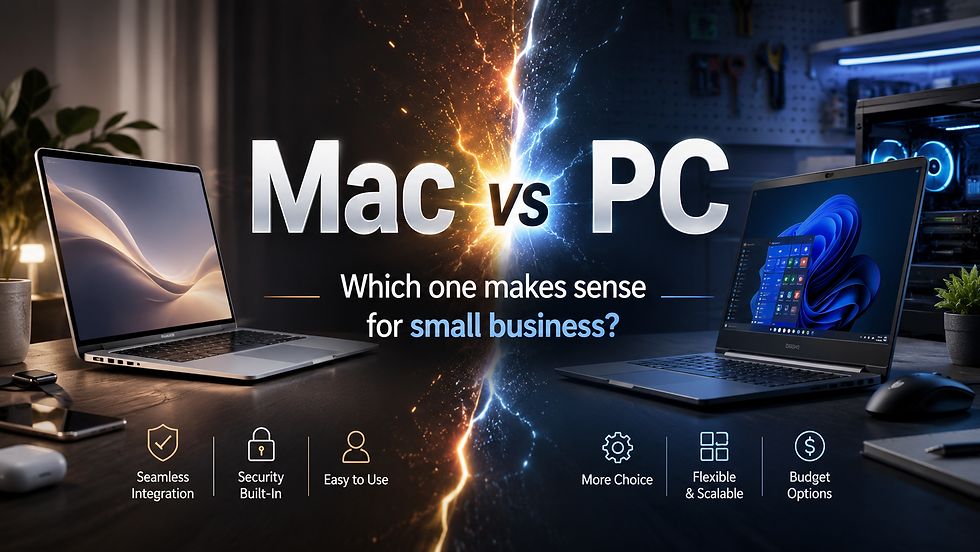
Few technology debates create stronger opinions than Mac vs PC.
Some people love the simplicity and polish of macOS. Others prefer the flexibility, compatibility and practicality of Windows PCs. In reality, both platforms have strengths, weaknesses and legitimate use cases.
For small businesses, the better question is not “which one is best?” It is:
Which one makes the most sense for your business, your software, your staff and your support needs?
The strengths of Mac
Apple has done a lot right, especially in recent years.
Modern Macs are fast, quiet and efficient. Apple’s move to its own ARM-based Apple Silicon chips has delivered excellent battery life and strong performance, especially in laptops. For many users, a MacBook Air or MacBook Pro offers a smooth, reliable experience with very little fuss.
The Apple ecosystem is also a major strength. If you already use an iPhone, iPad, AirPods, iCloud and other Apple services, the experience can feel seamless. Features like AirDrop, iMessage, FaceTime and iCloud syncing are simple and well integrated.
For users who mainly need email, web browsing, Microsoft 365, design tools, video editing, light office work and general productivity, a Mac can be an excellent choice.
Macs also tend to have a clean user experience. The operating system is simple, consistent and generally easy to navigate. That can be a pro for users who do not want to tinker, troubleshoot or customise much.
The weaknesses of Mac
The biggest issue with Macs, especially in a business environment, is flexibility.
Apple hardware is not very repair-friendly. Over the years, Apple has made design choices that have made independent repair more difficult, including proprietary components, unusual screws and tightly integrated hardware. Modern Apple Silicon Macs also use system-on-chip designs, with memory and storage integrated into the device.
That has performance and efficiency benefits, but it also creates risk.
If a Mac suffers a serious hardware failure and the user does not have proper cloud or external backups, recovering data can be much harder than it would have been on older, more modular systems. This is one of the reasons backups are critical, regardless of whether you use Mac or Windows.
Compatibility is another major consideration. While many common business tools now work in the browser or have Mac versions, plenty of industry-specific applications are still Windows-first or Windows-only. Accounting tools, estimating software, medical applications, legal software, logistics tools, building and trade software, legacy databases and vendor-specific utilities are often designed with Windows in mind.
Macs can also be more limiting from an IT support perspective. There are fewer admin, repair and diagnostic tools compared with Windows. In a mixed business environment, that can make support and management more complex.
Apple Silicon has improved many things, but the ARM architecture can still create compatibility issues. Apple’s emulation layer is very good, but emulation is still another layer. Most users will never notice it, but for niche business applications, plugins, drivers or older software, it can matter.
The strengths of Windows PCs
Windows remains the default platform for most small businesses, and there are good reasons for that.
The biggest strength is compatibility. If a business application exists, there is a good chance it either runs on Windows or was designed for Windows first. This makes Windows the safer choice for many industries.
Windows also offers a much broader hardware ecosystem. You can choose from budget laptops, premium ultrabooks, desktops, gaming PCs, CAD workstations, rugged devices, mini PCs, servers and specialised business hardware. That flexibility matters when a business needs machines for different roles.
For example, one staff member may only need a basic laptop for email and admin work. Another may need a powerful workstation for graphics, engineering, video, accounting datasets or multiple monitors. Windows gives businesses more choice at more price points.
Repairability and upgradeability are also usually better in the Windows world, although this varies by brand and model. Many business-grade desktops and laptops still allow SSD replacement, battery replacement, memory upgrades or easier servicing.
Windows is also the stronger gaming platform, which may not matter much to most businesses, but it does reflect the broader software and hardware compatibility advantage.
From an IT support point of view, Windows has a mature ecosystem of admin tools, remote support tools, security tools, monitoring tools, scripting options and business management features. For managed IT support, that can make standardisation and troubleshooting easier.
The weaknesses of Windows PCs
Windows has plenty of strengths, but it is not perfect.
Windows 11 still needs work. Microsoft has added useful features, but the experience can also feel cluttered at times. Between built-in promotions, AI features, web-based components, Electron-style apps, high memory usage and manufacturer bloatware, Windows can sometimes feel heavier than it needs to be.
The good news is that many of these issues can be managed with proper setup, business-grade hardware, clean configuration and sensible policies.
Windows on ARM has also improved significantly, but it is still not as polished as Apple Silicon on macOS. Snapdragon-based Windows laptops are getting better, especially for battery life, but compatibility and performance can still vary depending on the software being used.
Another downside is inconsistency. Because Windows runs on hardware from many manufacturers, quality can vary dramatically. A cheap consumer laptop and a well-built business laptop may both run Windows, but they are very different machines.
That is why choosing the right Windows device matters.
Security has improved on both sides
Years ago, malware removal was a much bigger part of day-to-day IT support.
That applied mostly to Windows, but Macs were never magically immune either. The old idea that “Macs do not get viruses” was always too simplistic.
Today, both platforms are much better from a security perspective. Windows has improved significantly with Microsoft Defender, Secure Boot, BitLocker, hardware security features and better update mechanisms. macOS also has strong built-in protections, including app signing, sandboxing, Gatekeeper and strong privacy controls.
For most small businesses, the bigger security risks are no longer just “Mac vs PC”. They are things like:
weak passwords
no multi-factor authentication
phishing emails
poor backup practices
outdated devices
unmanaged personal devices
lack of endpoint protection
staff using the same password everywhere
A well-managed Windows PC is far safer than an unmanaged Mac. A well-managed Mac is far safer than a neglected Windows laptop. The platform matters, but management matters more.
So which should your business choose?
For most small businesses, Windows is still the practical default.
It offers the best compatibility with business applications, the broadest hardware choice, easier support, better repair options and more flexibility across different roles.
However, Macs can be a great fit for certain users and businesses, especially where:
staff already know macOS
the business mostly uses cloud-based tools
battery life is a high priority
design, media or creative work is important
the business is already heavily invested in the Apple ecosystem
the required software is confirmed to work properly on macOS
The main thing is to avoid choosing based on brand loyalty alone.
A Mac is not automatically better because it is premium.A Windows PC is not automatically better because it is more common.
The right choice depends on the business.
Our practical recommendation
Before buying new computers, check:
what software your business relies on
whether that software supports Windows, macOS or both
whether any printers, scanners, label printers or specialist devices need drivers
whether staff need remote access or VPN tools
whether the device can be backed up properly
whether it can be managed and secured
whether it can be repaired economically
how long the device is expected to last
For many small businesses, the best answer may even be a mix. Windows desktops or laptops for most staff, with Macs for specific users where they genuinely make sense.
The important thing is that the devices are chosen intentionally, configured properly and protected with the right security and backup systems.
Need help choosing business computers?
Rabbit MSP provides practical IT support for small businesses across Dandenong and Melbourne’s south-east.
We can help you choose, set up and support business computers, whether your team uses Windows PCs, Macs or a mix of both.
From Microsoft 365 and cybersecurity to backups, networking and hardware support, we help keep your business technology secure, stable and easy to manage.